Failshot for organisations

Protect the devices you issue.

For private and public sector teams. Know when a work device was used by someone it wasn’t issued to.

Where it fits

For the devices your work depends on.

  • Company devices.

    Work devices hold email, client details and company data. Know when one was unlocked by someone it wasn’t issued to.

  • Public-service devices.

    For councils, services and public bodies that issue devices to their staff.

  • Shared and field devices.

    Devices kept in vehicles, at depots and on site. Know if one is unlocked while it should be put away.

How it works

The same Failshot, on every device.

Each device runs Failshot exactly as it does for anyone.

  • Whoever unlocks the device while Failshot is on is photographed with the front camera.
  • While a device shares photos with your organisation, a notice on its Lock Screen always shows that Failshot is on.
  • Switching off takes Face ID or the Failshot PIN, never the device’s passcode.
  • Photos stay on the device unless email alerts or the web vault are turned on.
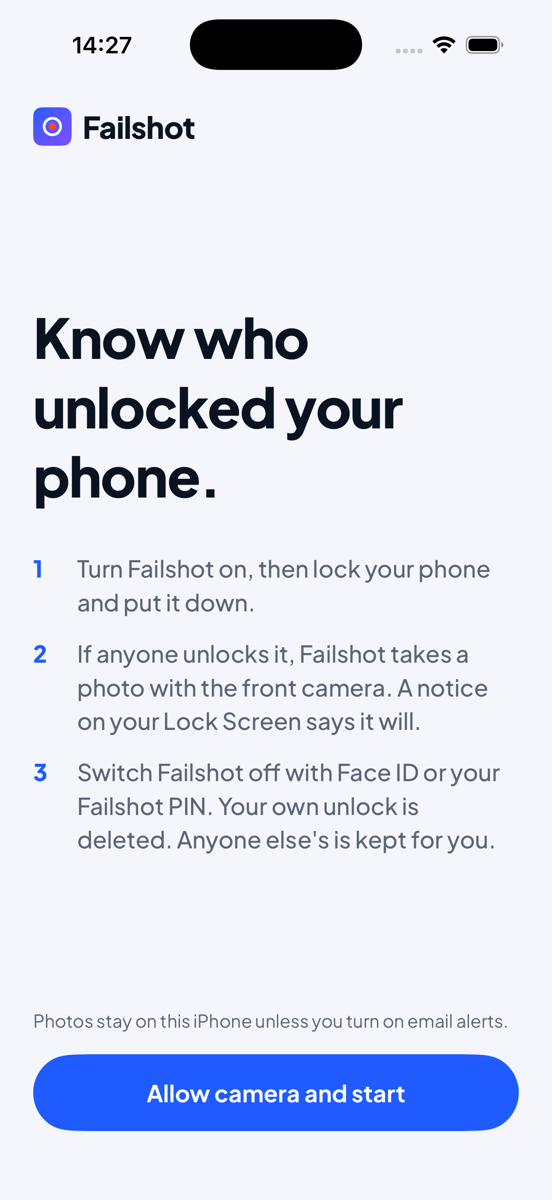
Failshot on iPhone. The welcome screen reads: Know who unlocked your phone. Turn Failshot on, then lock your phone and put it down. If anyone unlocks it, Failshot takes a photo with the front camera. Switch Failshot off with Face ID or your Failshot PIN.
What’s included

Built for teams.

  • Volume licences

    Licences for your whole team, priced on enquiry.

  • Invoiced annual billing

    One invoice a year for your organisation.

  • Data processing agreement

    Available on request.

  • On the roadmap

    Deployment with MDM

    Roll Failshot out through Apple Business Manager and Android Enterprise.

  • Coming soon

    Security team dashboard

    A dashboard for your security team. Tell us what you’d need from it.

Transparency by design

Protects the device. Never watches the person.

Failshot isn’t a way to monitor the people who use your devices.

  • While a device shares photos with your organisation, whoever holds it always sees the Lock Screen notice when Failshot is on.
  • Organisations must tell staff before Failshot is used on their devices.
  • Never for covert monitoring, of staff or anyone else.
  • No face recognition.
Enquiries

Tell us about your organisation.

Share a few details and we’ll reply by email.

We use these details only to reply to your enquiry.